Video or GIF
Choose up front. A crisp H.264 MP4 for full quality, or an animated GIF optimized to drop straight into a chat or ticket.
Take a screenshot of anything, a recipe, an error message, a confusing bill, a wall of text, and AI instantly pulls out what matters. Copied and ready to paste.
Start your 14-day free trial. No credit card required.
No context switching. No uploading screenshots. Just point, capture, and get answers.
Hit ⌘+Shift+2 to activate PluckShot anywhere on your screen.
Draw a box around code, text, images, or errors. PluckShot captures it.
Your capture is processed and the result is copied to your clipboard.
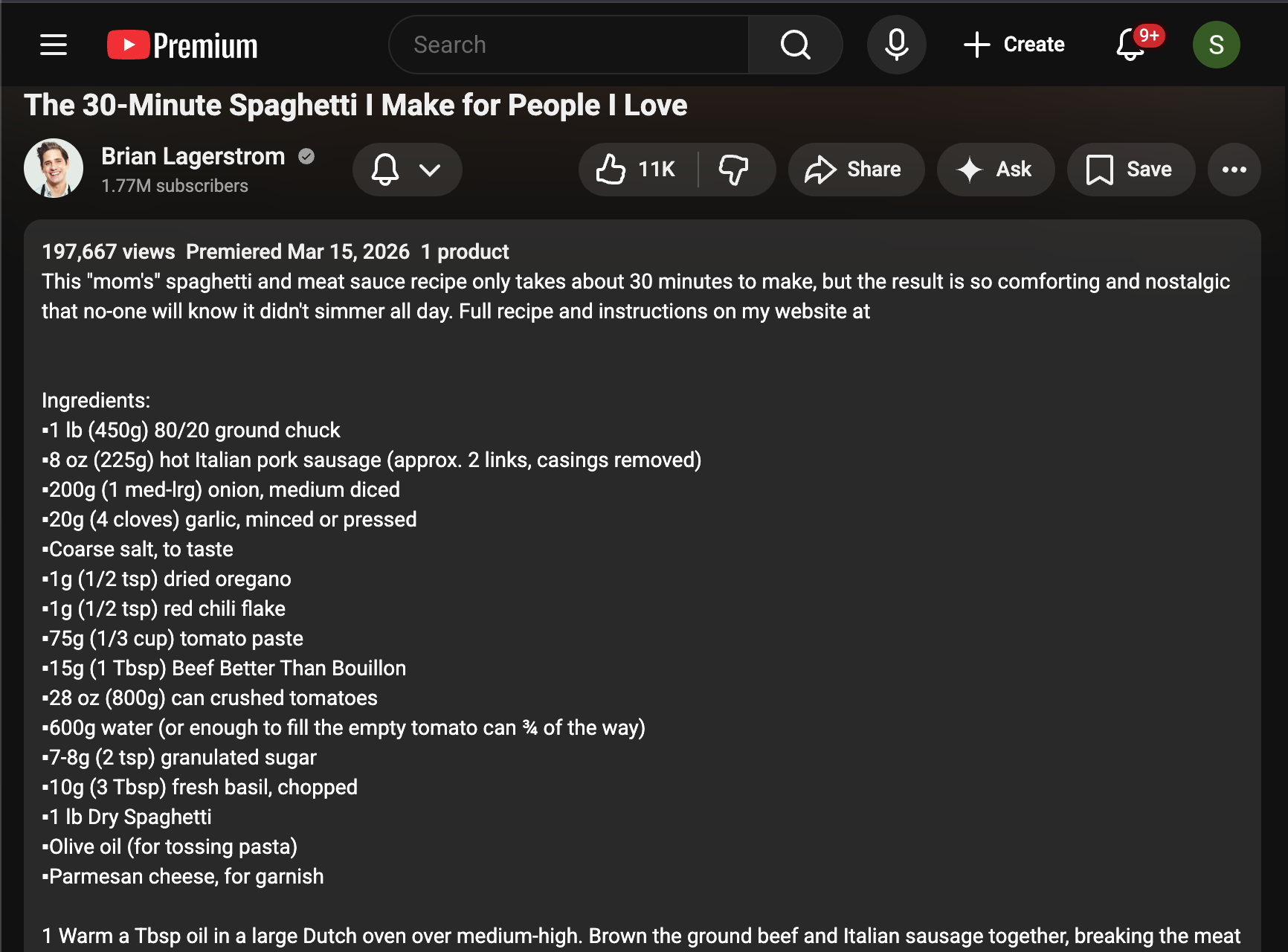
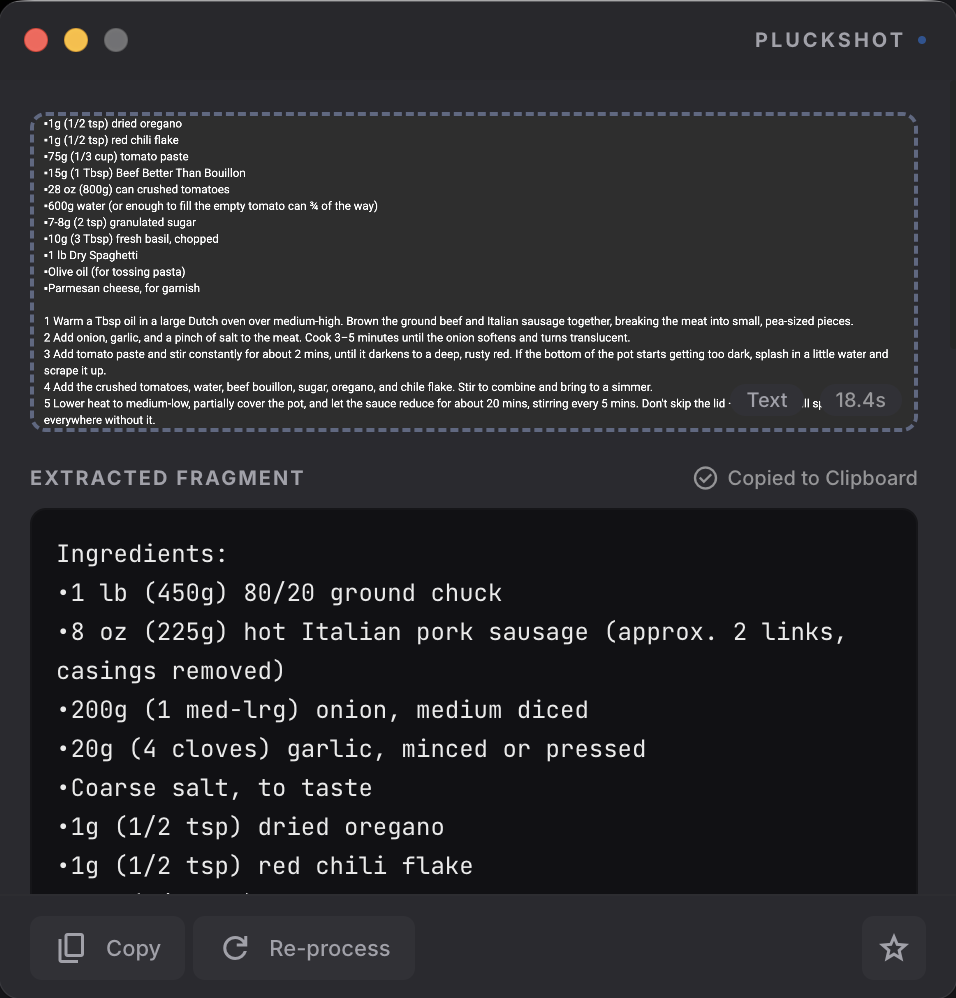
Whether you're a developer troubleshooting code, a student researching papers, or someone who just wants to grab a recipe from a YouTube video, PluckShot works for you.
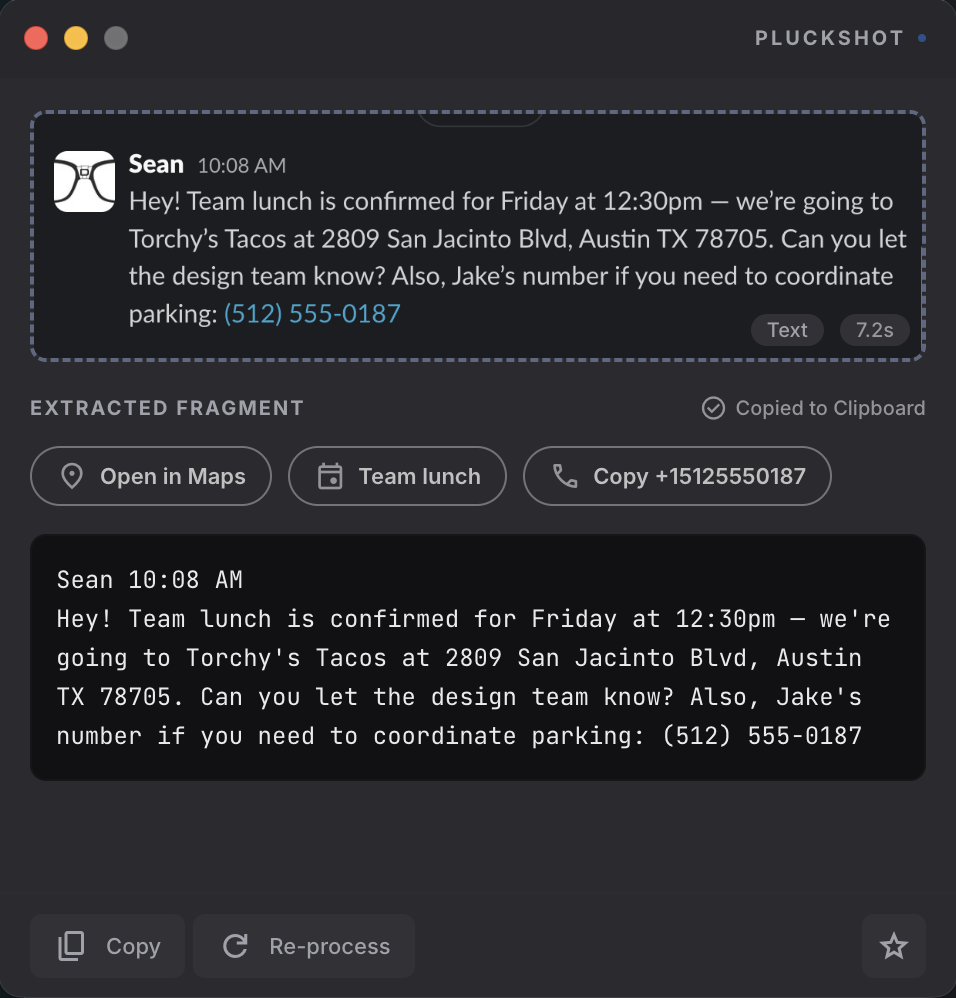
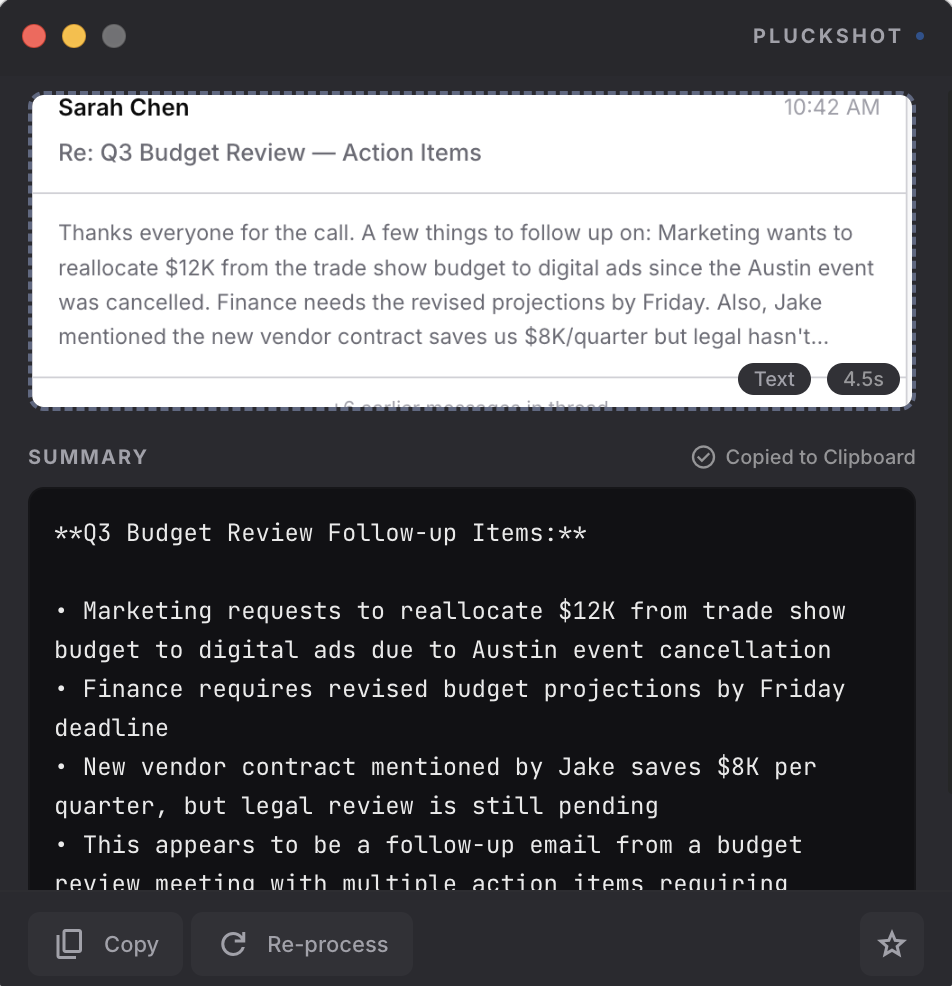
Here's what getting text from a screenshot looks like today.
Grab once, then look at it any way you need — extract the text, explain it, summarize it, or compare two to four things side by side. Pick the lens after you capture, and switch lenses on the same shot without re-grabbing.
…or just type your own question and ask anything about what you grabbed.
Pull clean, accurate text from anything on your screen.
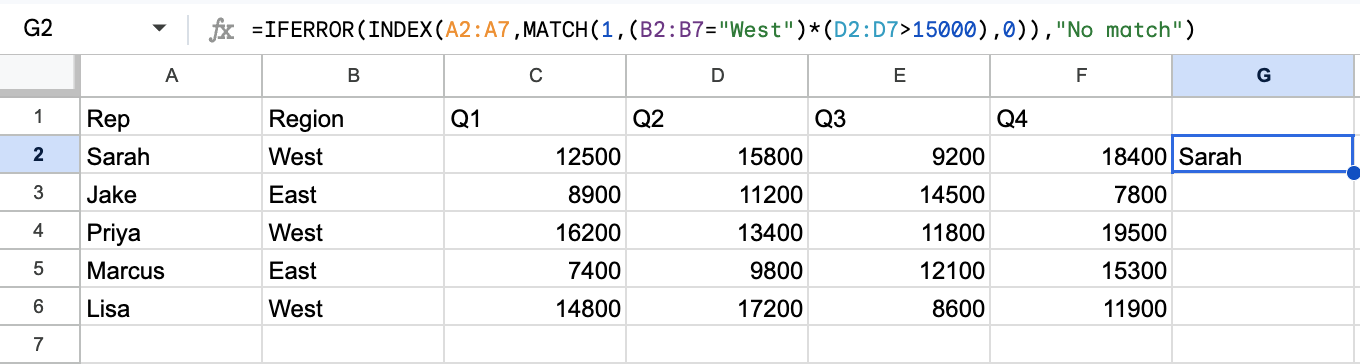
Capture anything confusing — or anything broken — and get a plain-language breakdown with the likely cause and fix.
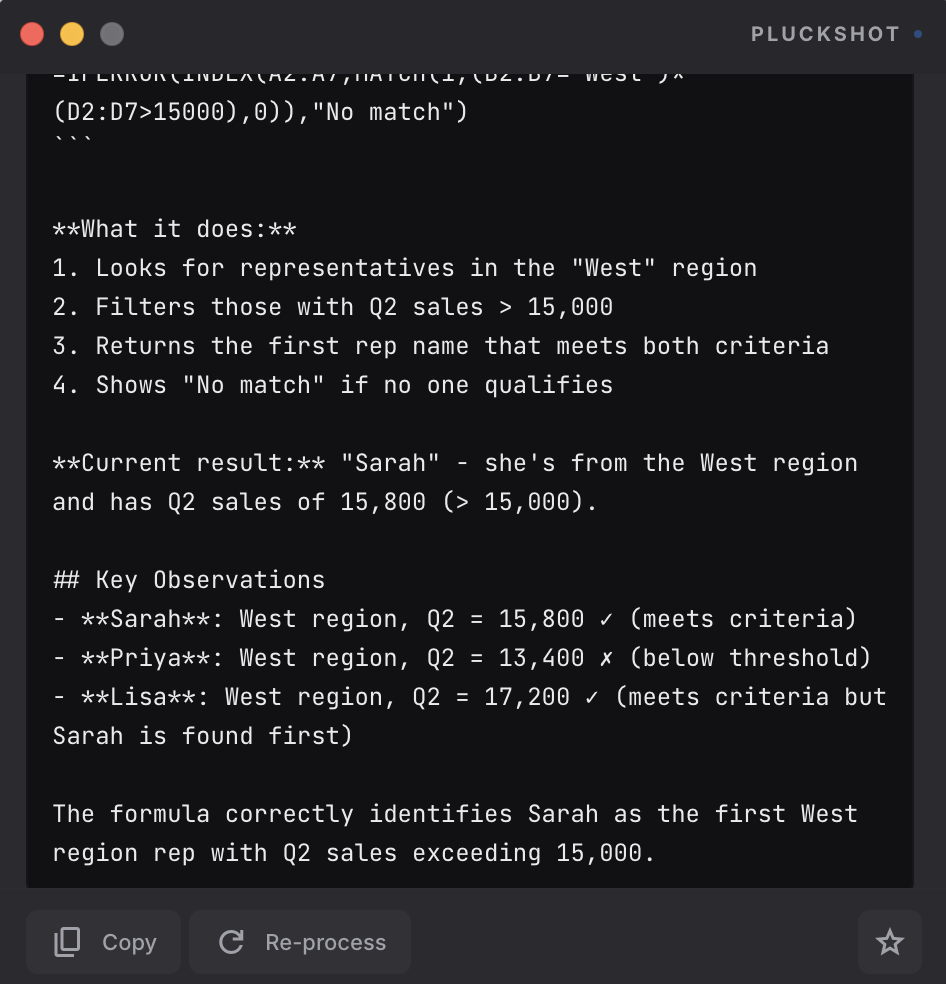
Get a concise, structured summary with key takeaways in seconds.
Thanks everyone for the call. A few things to follow up on: Marketing wants to reallocate $12K from the trade show budget to digital ads since the Austin event was cancelled. Finance needs the revised projections by Friday. Also, Jake mentioned the new vendor contract saves us $8K/quarter but legal hasn't signed off yet — Lisa, can you follow up? Last thing — the board wants a headcount plan for Q4...
Grab two to four items — players, plans, phones, offers — and get one ranked answer with a clear call on each, not a wall of text. Combine them into a single shot, or grab one screenshot that already has them side by side.
Foster in a smash spot at 81% snaps; Boone sits on a 14% target share. Reyes is a FLEX dart only if active.
Record any region of your screen as a crisp MP4 video or a shareable animated GIF — with live region selection, a floating control bar, fine-tuned GIF settings, and built-in trimming.
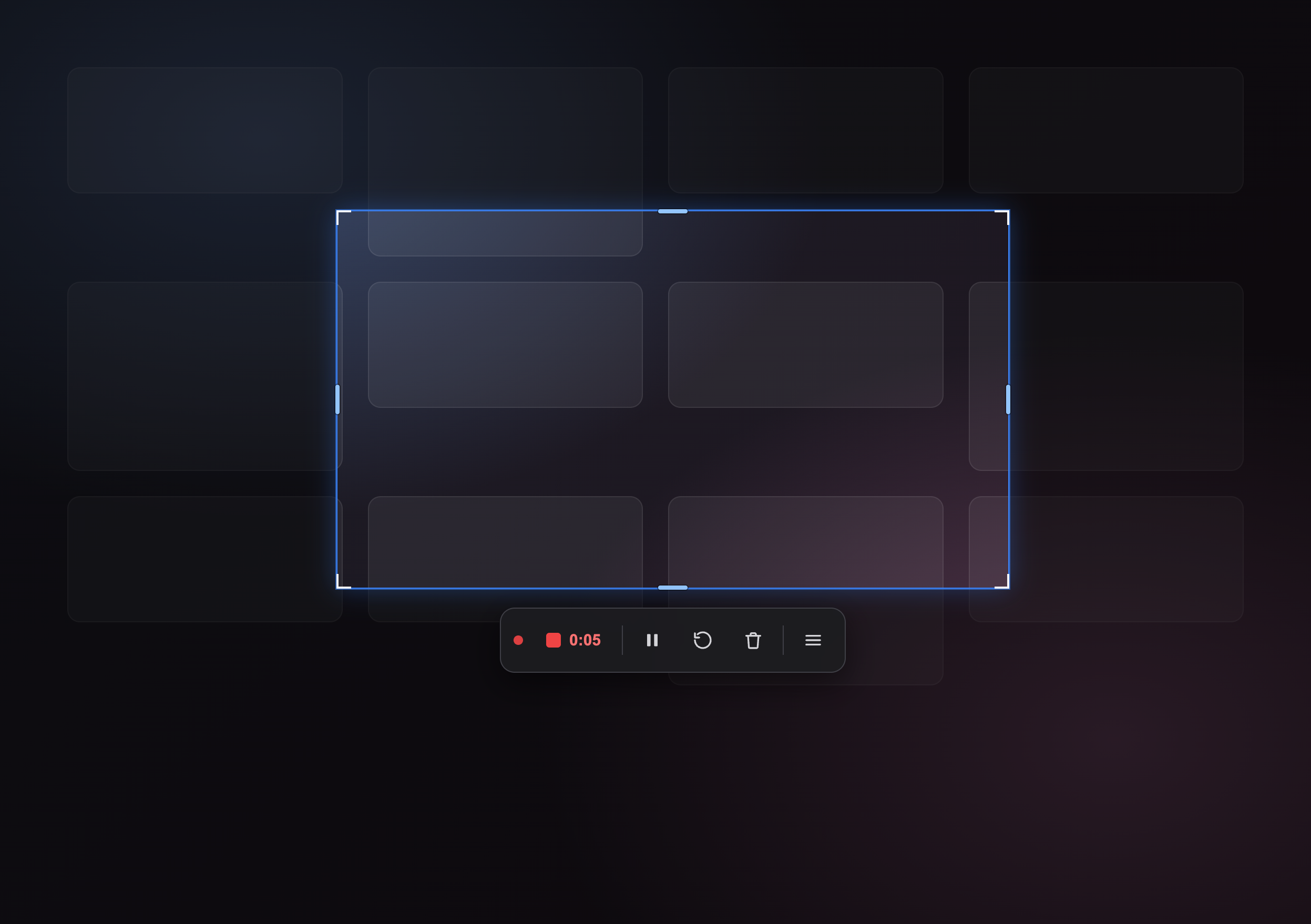
Choose up front. A crisp H.264 MP4 for full quality, or an animated GIF optimized to drop straight into a chat or ticket.
Frame a precise rectangle — not the whole screen — while your desktop keeps playing. Nothing freezes while you line up the shot.
Tune resolution, frame rate, and quality, and flip on Optimize to shrink a clip from megabytes down to a few hundred KB.
Drag handles on a timeline to cut the start and end, scrub to the exact frame, and re-encode — for both video and GIF.
One hotkey records any meeting straight from your computer — no bot joins your call. Watch the transcript appear live, pin screenshots and notes to the exact moment they happen, and click Done to get AI minutes built from what was actually said.
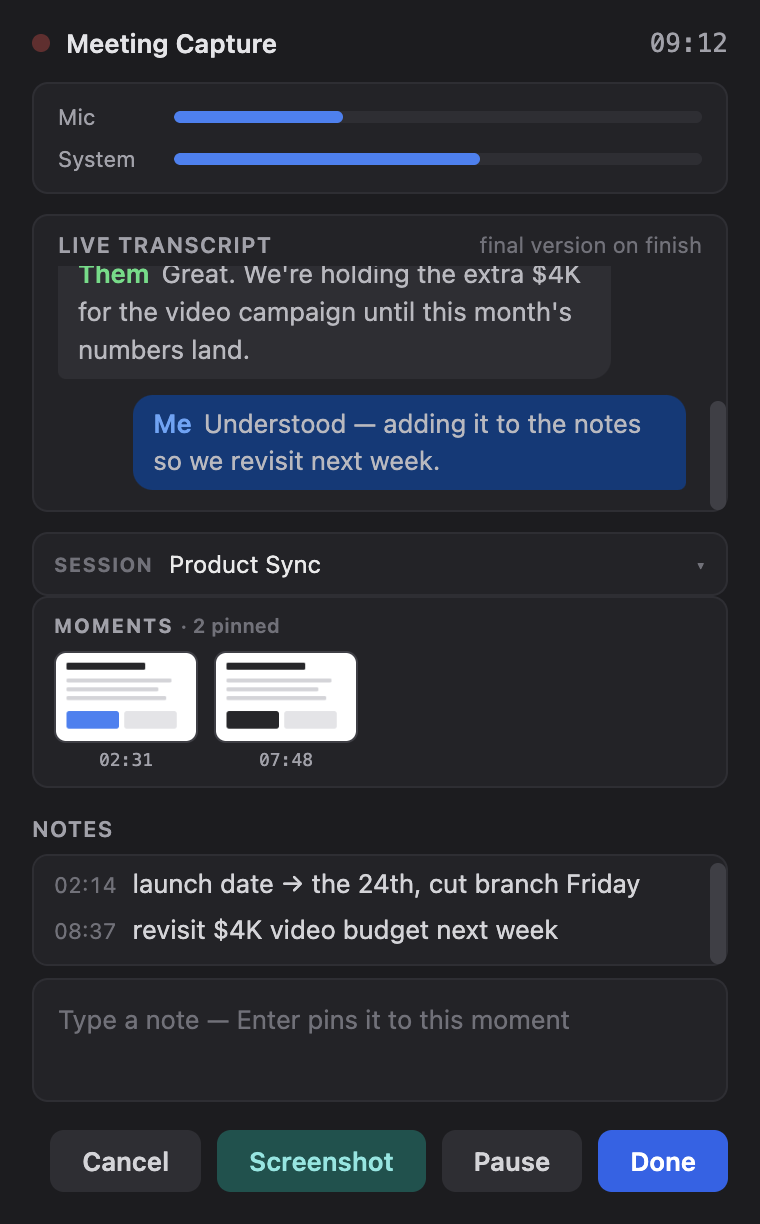
PluckShot records from your computer, so it works with any meeting app and nothing ever joins the call. Your microphone and the meeting audio record as separate tracks — the transcript knows what you said versus what they said.
Me/Them chat bubbles land in the meeting window seconds behind the speech, so you can glance back at what was just said without breaking your flow. The polished final transcript is generated when you finish.
Type a thought, press Enter, and the note stamps itself to that moment of the meeting. Screenshots pin the same way — your usual capture hotkey just works. The AI weaves your notes into the minutes, anchored to the right part of the conversation.
Open a meeting afterward to flip between the minutes and the full transcript, with every screenshot and note laid out on a timeline. Keep the audio and you can click any line to replay that exact moment.
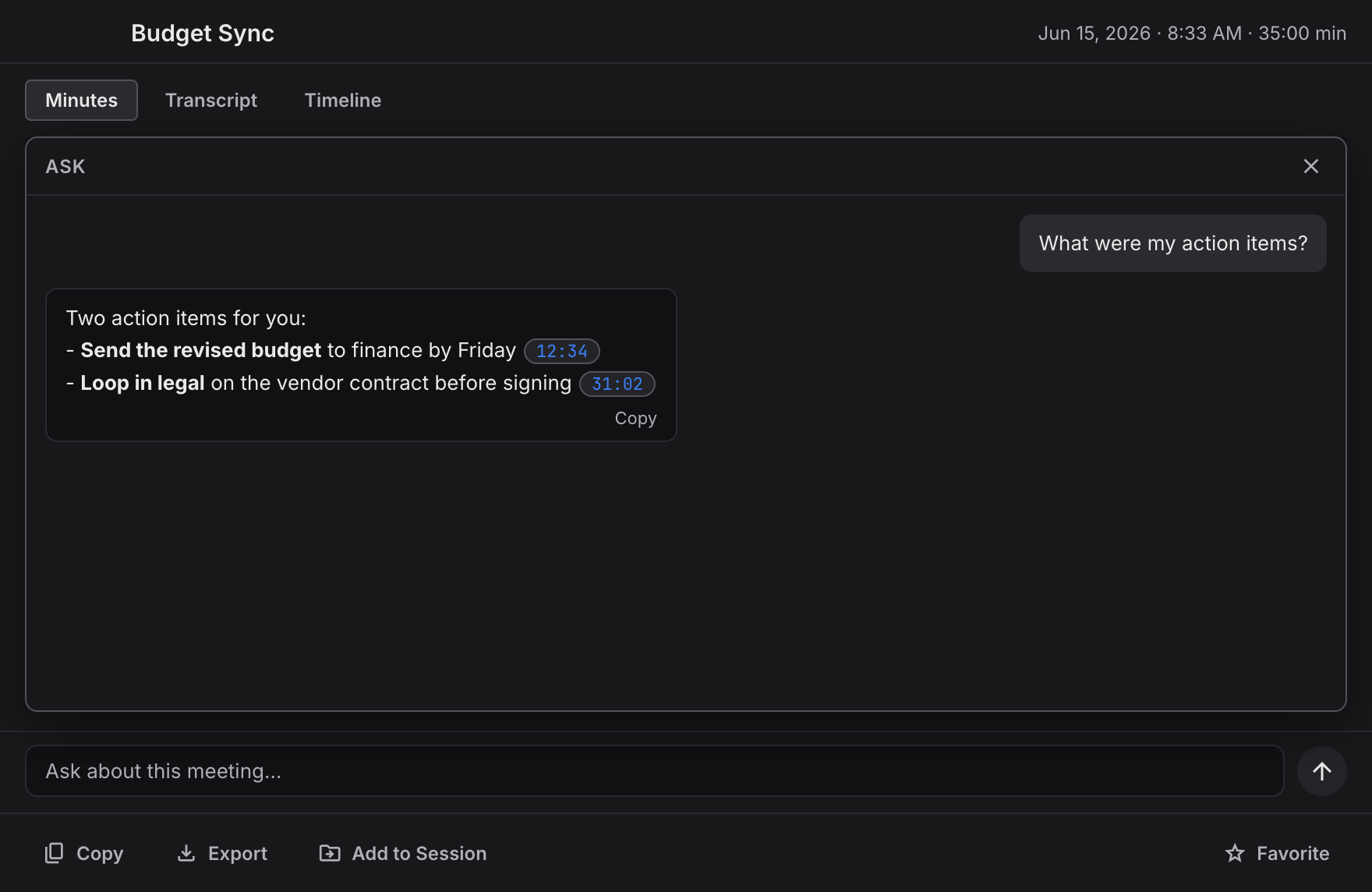
Open any meeting and just ask — “What were my action items?”, “What did we decide on pricing?”, “Draft a follow-up email.” Answers come back grounded in what was actually said, not made up — and every timestamp is a button that jumps you straight to that moment.
PluckShot ships with a full annotation editor. Draw arrows, box what matters, blur out anything private, crop to just the part that counts, and even combine several shots into one — then export a pixel-perfect PNG or send it straight back to the AI. No round-trip to another app.
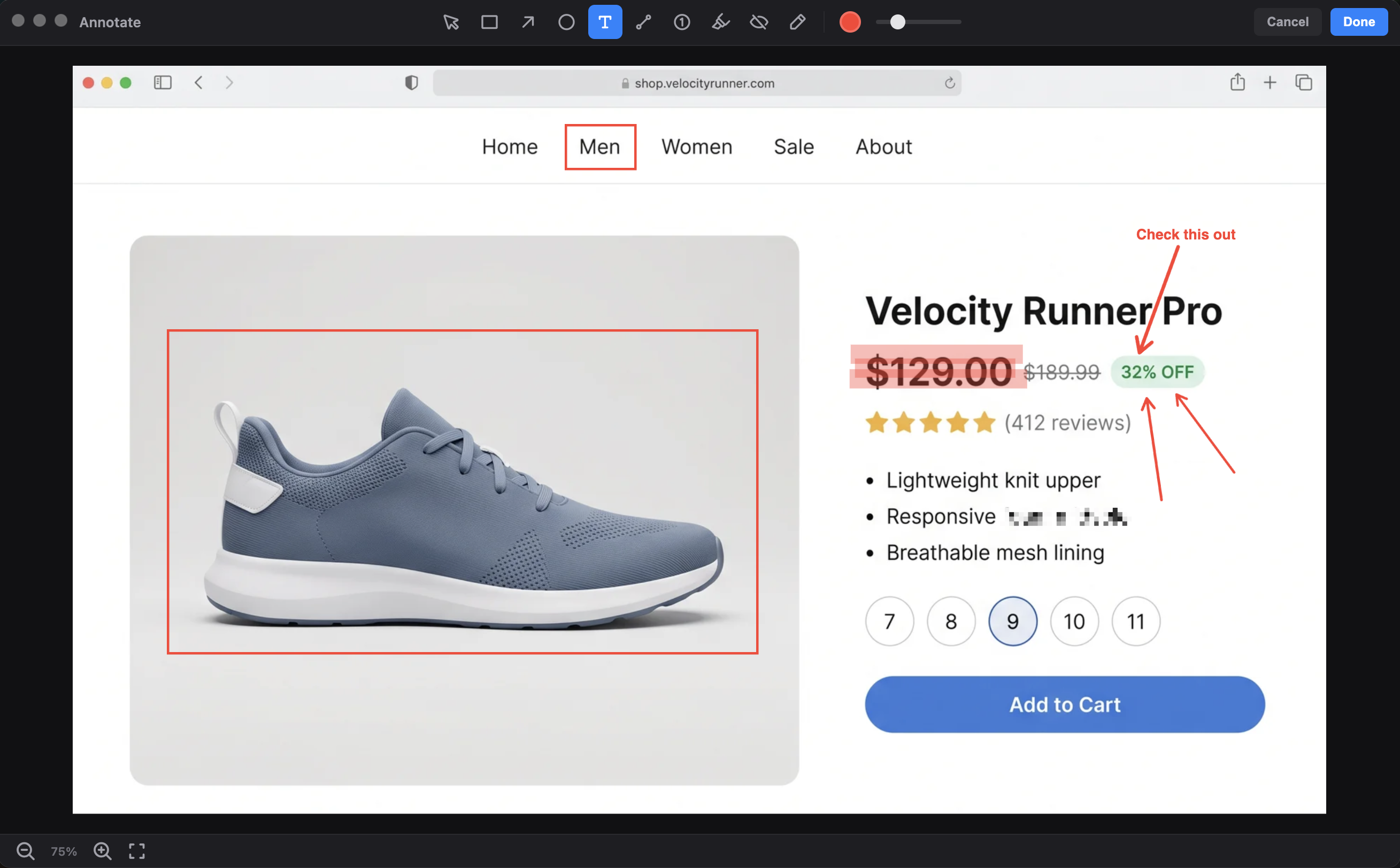
Draw arrows, rectangles, ellipses, and straight lines to point right at what matters. Move, resize, recolor, or delete anything after you place it.
Pixelate a face, an address, an account number, anything you don't want to share. Drag the blur region anywhere and it re-samples the image live.
Drop auto-incrementing numbered markers to turn any screenshot into a clear, step-by-step walkthrough that explains itself.
Type captions, highlight key lines, or sketch freehand with the pencil. Eight quick colors plus a custom picker and adjustable stroke width.
Drag a box around the part that matters and the canvas resizes to it — your arrows, notes, and blur regions move right along with it. Nothing's baked in until you export.
Pull in extra screenshots — from a file or your capture history — and lay them out side by side, stacked, or in a grid. Mark up across all of them and export one clean image.
Mark up the screenshot right in your capture preview — circle the error, arrow the line on the chart, highlight the clause — then hit re-process. The AI re-reads your marked-up image and answers about exactly what you pointed at.
PluckShot ships four Quick Access surfaces so you can trigger captures without ever touching your keyboard. Drag them anywhere, collapse them when you need space, or turn them off when you don't.
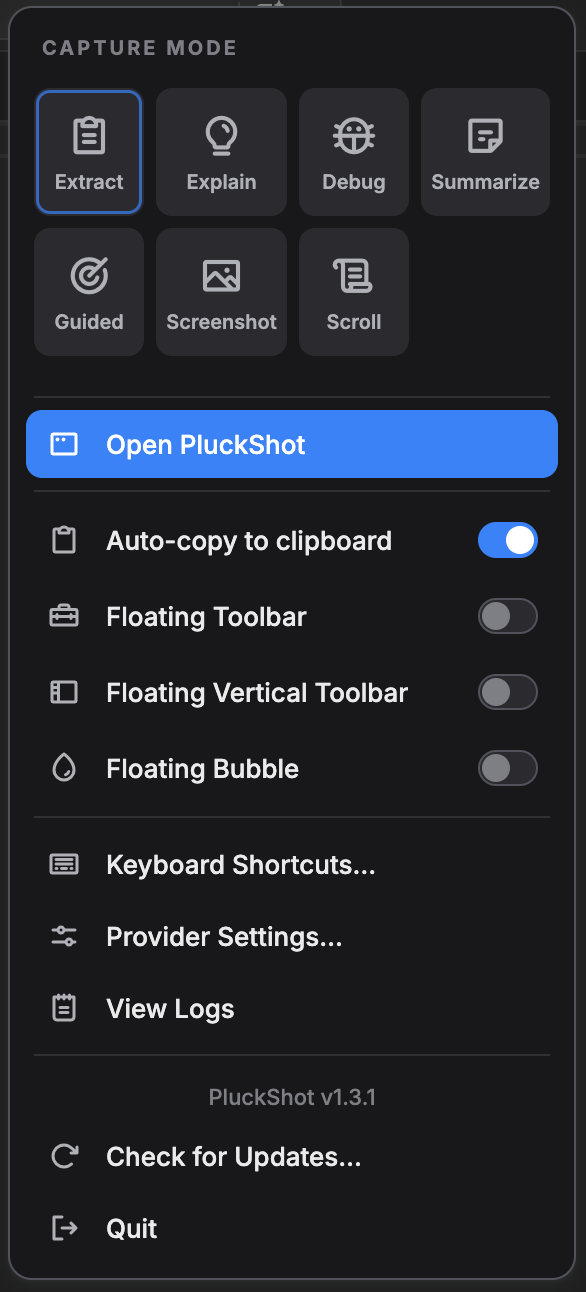
A visual popover with Smart Capture and every capture mode, your most-used toggles, and quick links to shortcuts and settings. Keyboard-navigable for power users, clickable for everyone else.

An always-on-top draggable toolbar with Smart Capture and every mode one click away. Click the logo to instantly capture in your last-used mode. Collapses into a tiny pill when you need the screen back.

Same toolbar, rotated for the edge of your screen. Perfect for wide monitors, horizontal IDEs, and anyone who wants their capture controls out of the way of their main workflow.
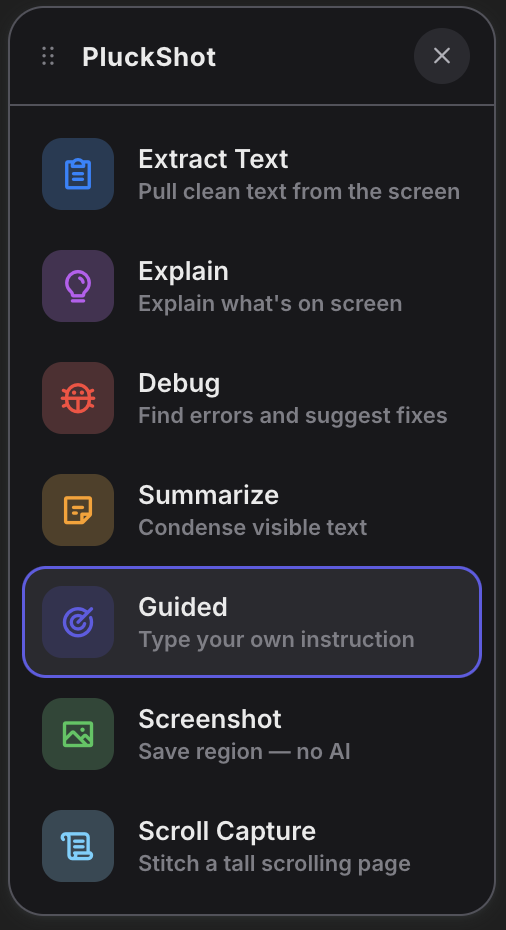
A single blue circle that follows you around. Click to capture, double-click to open the full mode panel. The tiniest possible surface when you want PluckShot out of sight but always ready.
PluckShot detects entities in your captures, dates, URLs, errors, addresses, tracking numbers, and surfaces one-tap actions.
Group captures together into sessions. PluckShot connects the dots across everything you capture, then summarizes, exports, or builds something new from all of it.
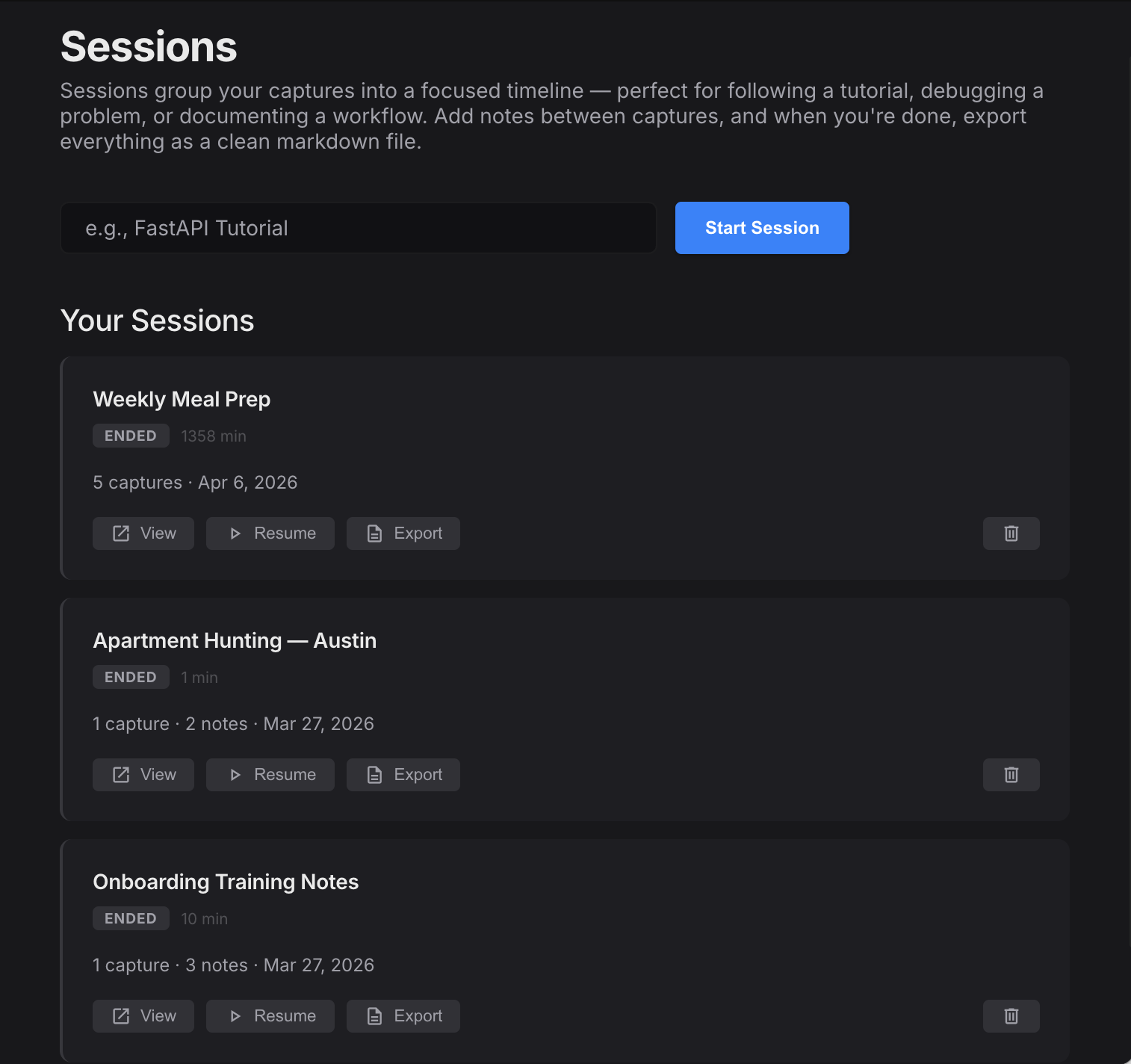
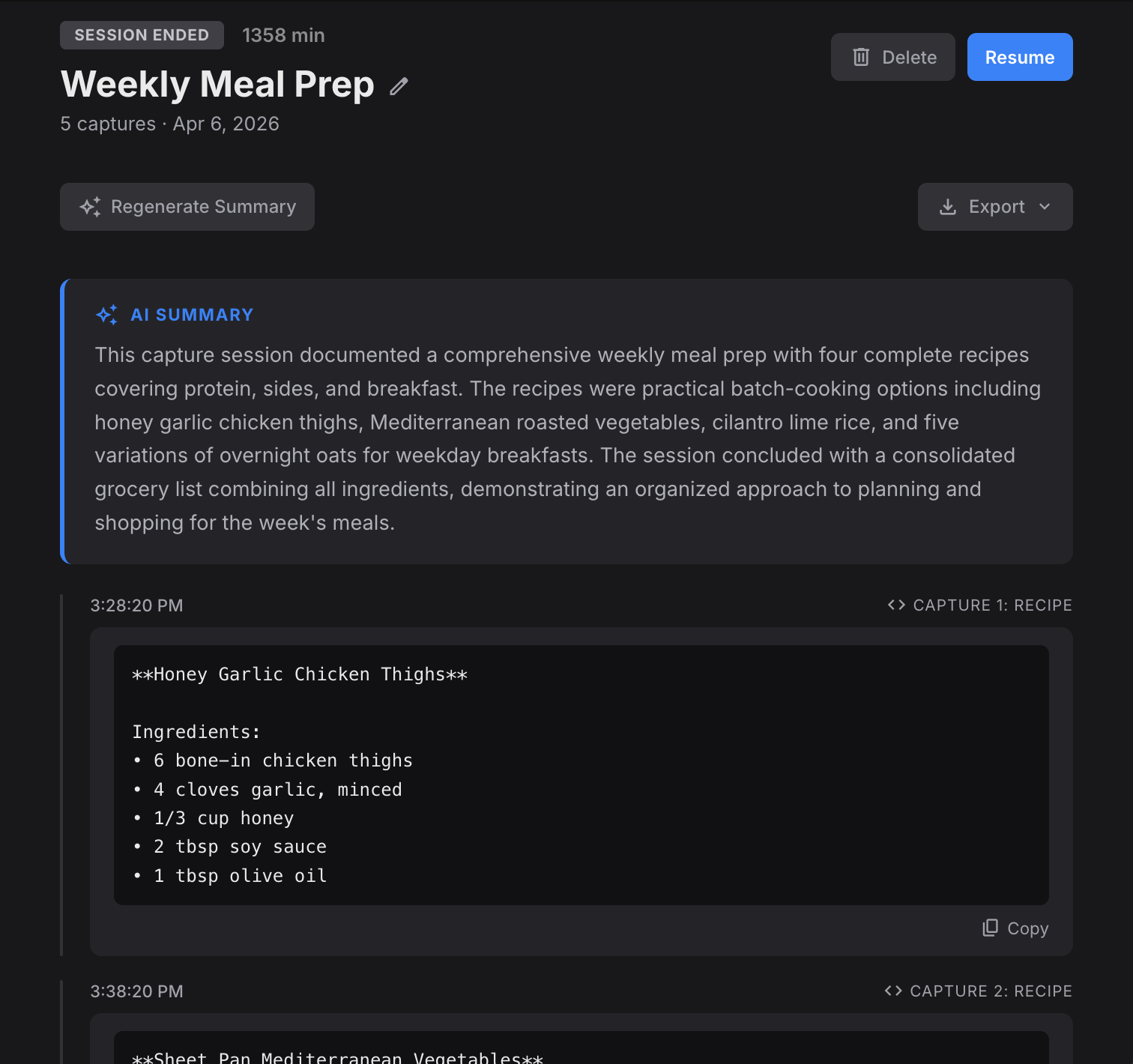
Capture recipes from YouTube videos all week. PluckShot extracts every ingredient and step, then summarizes it all into one grocery list.
Start a Meeting Capture and file it into the session as you go. The minutes, full transcript, and every pinned screenshot land there together, beside the rest of your project's captures.
Capture from articles, docs, and videos across multiple sources. Export the entire session as a PDF, Word doc, or to your notes app.
Every capture lands in a Recent shelf right in the menu bar. Drag one straight into Slack, Figma, or an email — or open it to annotate. Keep what matters; the rest tidies itself up.
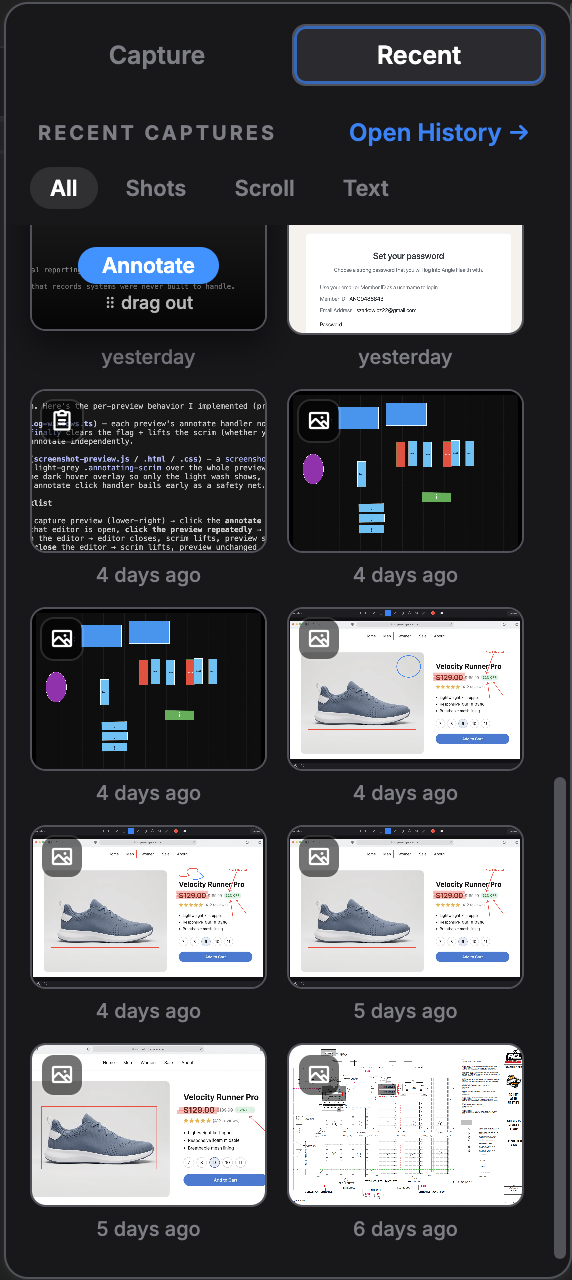
Your last 20 captures, one click from the tray — filter to screenshots, scrolling captures, or extracted text.
Grab any capture and drop it straight into another app. No saving, no digging through folders.
Save or annotate a capture and it’s yours for good. Ignore it and it quietly clears out, so your history never fills with clutter.
A few more tools you'll find in your first week.
Capture an entire page, chat, or thread as one tall image — then send the whole thing to AI in a single pass.
Pin any capture as a small always-on-top reference while you work. Drag it anywhere, fade it to see what's behind.
A 3, 5, or 10-second countdown so open menus, tooltips, and hover states actually make it into the shot.
Magnify and pick any color straight off a capture — copied to your clipboard and active in the annotation editor.
Fire Smart Capture from a single global shortcut, then choose the lens — or skip the keyboard entirely and use a Quick Access surface.
A warm light theme, a deep dark theme, or follow your system — the whole app, popups included.
Choose the model that fits your needs. Bring your own API key for ultimate control, or let us manage it for zero setup.
Connect your existing accounts or CLI subscriptions. You pay the provider directly. Perfect for power users.
We handle the API keys and routing. Just install the app and start capturing immediately.
Start with a 14-day free trial. No credit card required.
Already paying for ChatGPT or Claude? Use it with PluckShot and save.
AI included. No setup. Just capture.
What happens after the trial? Keep read-only access to all your past captures forever.
No. While PluckShot can extract text like traditional OCR, it uses advanced multimodal AI models to actually understand the context of the image. This means it can explain code, summarize articles, and detect actionable entities, not just read characters.
It depends on the plan you choose. With the BYO Pro plan, you supply your own API key from providers like OpenAI or Anthropic. With the Managed Pro plan, we handle all the AI infrastructure and costs, no API keys required.
Choose BYO if you already pay for an AI subscription that provides API access, or if you want full control over which providers you use. Choose Managed if you want a plug-and-play experience without worrying about API limits or separate billing.
If you choose not to subscribe after your 14-day free trial, your account will transition to a free read-only state. You will still be able to view and search all your past captures, but you won't be able to create new ones.
PluckShot only captures the exact region you select, it never records your full screen or runs in the background. Your captures are sent directly to the AI provider you choose and are never stored on our servers or used to train AI models. The macOS Screen Recording permission is required by Apple for any app that captures screen content, even a small selected area.
No. PluckShot records locally from your computer, so nothing ever joins your call and it works with any meeting app. Your microphone and the meeting audio record as separate tracks, which is how the transcript knows who said what. Transcription is included with your account on every plan, and the audio recording is deleted as soon as your transcript is ready — unless you turn on "Keep meeting audio" to enable replay.
PluckShot is available for macOS, Windows, and Linux.
Nope. PluckShot ships four visual Quick Access surfaces: a tray popover, a horizontal floating toolbar, a vertical sidebar toolbar, and a compact floating bubble. Click your way through captures without ever touching a hotkey. You can also turn them all off if you prefer the keyboard.
Uploading screenshots to ChatGPT works, but it takes several steps: take a screenshot, open your browser, navigate to the chat, upload the image, type a prompt, wait, then copy the result. PluckShot does all of that in one step, select a region, get the answer, it's already copied. No context switching, no browser tabs, no typing prompts.
Yes. You can cancel your subscription at any time from within the app. After canceling, you'll keep access through the end of your billing period, and you'll always retain read-only access to your past captures.
Start your 14-day free trial. No credit card required.